

Best IPTV players for iPhone — if you’re looking to stream your favorite content on your iPhone with smooth performance and reliable playback, choosing the right IPTV player is crucial. With so many apps available, it can be overwhelming to decide. A great IPTV player enhances your streaming experience with seamless navigation, fast channel loading, and high-quality video.
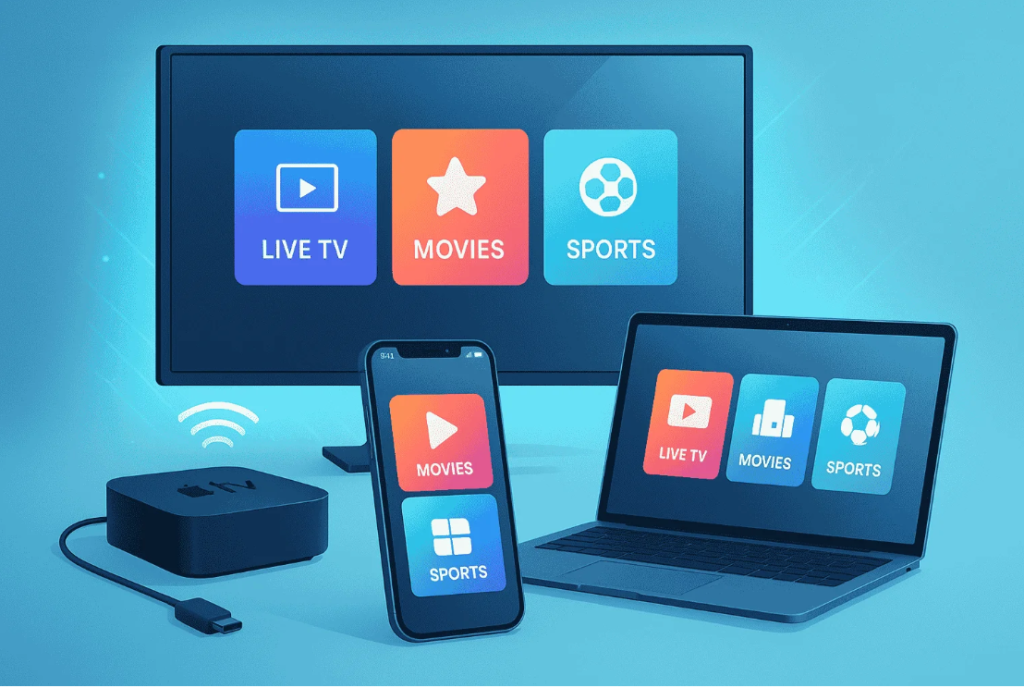
For those looking to elevate their streaming experience on their iPhone, we’ve curated a list of the top IPTV players for Iphone that actually work. Whether you’re a sports enthusiast or a movie buff, our guide will help you find the perfect player for your needs. For more information on IPTV solutions, you can visit our website at https://iptvxtremehd.com or contact us via WhatsApp at https://wa.link/5p4r9r.
Key Takeaways
- Discover the top IPTV players compatible with iPhone.
- Learn how to choose the best IPTV player for your streaming needs.
- Explore features that enhance your streaming experience.
- Find out how to download and install IPTV players on your iPhone.
- Get insights into troubleshooting common IPTV streaming issues.
What You Need to Know About IPTV on iPhone
IPTV, or Internet Protocol Television, is revolutionizing the way we consume media on our iPhones. This technology allows users to stream television content over the internet, providing a more flexible and personalized viewing experience compared to traditional TV services.
What is IPTV and How Does It Work on iOS?
IPTV delivers television content through internet protocols, allowing for a more interactive and customizable viewing experience. On iOS devices, IPTV works by connecting to a server that streams the content directly to the user’s device. This is achieved through specialized IPTV players that are designed to work seamlessly with iOS.
The functionality of IPTV on iOS involves several key components, including the IPTV service provider, the internet connection, and the IPTV player app. The quality of the viewing experience depends on the stability of the internet connection and the capabilities of the IPTV player.
Why iPhone Users Need Specialized IPTV Players
iPhone users require specialized IPTV players to access and enjoy IPTV content fully. These players are designed to handle the unique demands of streaming television content over the internet, providing features such as EPG (Electronic Program Guide), multi-screen support, and adaptive bitrate streaming.
Some of the top IPTV players for iPhone include IPTV Smarters Player, known for its user-friendly interface and robust features. The best IPTV player for iPhone can vary based on individual preferences, but players like IPTV Smarters Player are highly regarded for their performance and compatibility.
| IPTV Player | Key Features | Compatibility |
| IPTV Smarters Player | EPG, Multi-screen Support | iOS, Android |
| GSE Smart IPTV | Adaptive Bitrate Streaming, User-friendly Interface | iOS, Android |
| iPlayTV | Customizable UI, High-Quality Streaming | iOS |
Key Features to Look for in iPhone IPTV Players
The right IPTV player can elevate your streaming experience on iPhone, but what features should you look for? Choosing the best IPTV player involves considering several critical factors that directly impact your viewing experience.
Compatibility with iOS Versions
One of the primary considerations is compatibility with the latest iOS versions. An IPTV player that is compatible with the newest iOS versions ensures that you have a stable and secure viewing experience. For instance, players like GSE Smart IPTV are known for their compatibility with various iOS versions, making them a reliable choice.
User Interface and Experience
The user interface and overall user experience are crucial for an enjoyable streaming experience. An intuitive interface allows users to navigate through channels and content effortlessly. IPTVX, for example, offers a user-friendly interface that simplifies the process of finding and watching your favorite shows.
Streaming Quality and Performance
Streaming quality and performance are perhaps the most critical aspects of an IPTV player. A good IPTV player should offer high-definition streaming with minimal buffering. Players that support advanced streaming protocols and have robust performance capabilities ensure a smooth viewing experience, even on demanding content.
Best IPTV Players for iPhone: Premium Options
For iPhone users seeking high-quality IPTV experiences, several premium players stand out from the rest. These players are designed to offer advanced features, superior streaming quality, and a user-friendly interface.
GSE Smart IPTV
GSE Smart IPTV is a highly regarded player known for its robust features and compatibility with various IPTV services.
Overview
GSE Smart IPTV offers a comprehensive solution for IPTV streaming, supporting multiple formats and providing a seamless user experience.
Pros
Robust feature set, including playlist management and EPG support, making it a favorite among IPTV enthusiasts.
Cons
Some users may find the interface overwhelming due to the numerous features available.
Features
Key features include advanced playlist management, EPG support, and the ability to stream content from various sources.
IPTV Smarters Player
IPTV Smarters Player is another popular choice, known for its user-friendly interface and robust performance.
Overview
IPTV Smarters Player provides a straightforward and intuitive way to stream IPTV content on iPhone.
Pros
Offers a user-friendly interface and reliable performance, making it accessible to a wide range of users.
Cons
Some users have reported occasional buffering issues, which can impact the viewing experience.
Features
Notable features include parental controls, playlist management, and support for multiple IPTV providers.
IPTVX
IPTVX is a feature-rich IPTV player designed to provide a comprehensive streaming experience on iPhone.
Overview
IPTVX offers a wide range of features, including support for multiple formats and advanced customization options.
Pros
Offers advanced customization options and supports a variety of IPTV formats.
Cons
The abundance of features can make the interface complex for some users.
Features
Key features include support for multiple IPTV formats, advanced customization, and a built-in media player.
iPlayTV
iPlayTV is a premium IPTV player that focuses on providing a seamless and enjoyable streaming experience.
Overview
iPlayTV is designed to offer a straightforward and intuitive IPTV streaming experience on iPhone.
Pros
Known for its user-friendly interface and stable performance, making it a great choice for IPTV enthusiasts.
Cons
Some users have noted that it lacks certain advanced features available in other players.
Features
Notable features include easy playlist management and support for various IPTV services.
| IPTV Player | Key Features | Pros | Cons |
| GSE Smart IPTV | Advanced playlist management, EPG support | Robust feature set | Interface can be overwhelming |
| IPTV Smarters Player | Parental controls, playlist management | User-friendly interface, reliable performance | Occasional buffering issues |
| IPTVX | Support for multiple IPTV formats, advanced customization | Advanced customization options | Complex interface |
| iPlayTV | Easy playlist management, support for various IPTV services | User-friendly interface, stable performance | Lacks some advanced features |
Top Free IPTV Players for iPhone Users
The world of free IPTV players for iPhone is diverse, with several apps offering robust features without a price tag. These players are designed to provide users with a seamless streaming experience, often with intuitive interfaces and a range of functionalities.
Flex IPTV
Flex IPTV is a popular choice among iPhone users due to its versatility and user-friendly interface.
Overview
Flex IPTV is known for its ability to handle various IPTV formats and its compatibility with different iOS versions.
Pros
Key benefits include its free availability, ease of use, and support for multiple playlists.
Cons
Some users may experience advertisements during playback, which can be a drawback.
Features
- Supports multiple IPTV formats
- User-friendly interface
- Compatible with various iOS versions
IPTV Stream Player
IPTV Stream Player is another highly-regarded option, offering a straightforward streaming experience.
Overview
This player is designed for simplicity, making it easy for users to start streaming their favorite content.
Pros
The app is ad-free and offers stable streaming performance.
Cons
Some users have reported occasional crashes, which can disrupt the viewing experience.
Features
- Simple and intuitive interface
- Ad-free streaming
- Stable performance
Cloud Stream IPTV Player
Cloud Stream IPTV Player is a feature-rich app that offers a comprehensive streaming solution.
Overview
It supports a wide range of IPTV formats and offers advanced features for power users.
Pros
Advanced features include playlist management and customizable settings.
Cons
The interface can be overwhelming for new users due to its numerous options.
Features
| Feature | Description |
| Playlist Management | Allows users to manage and organize their IPTV playlists |
| Customizable Settings | Offers various settings to tailor the streaming experience |
| Multi-Format Support | Supports a wide range of IPTV formats |
Xtream IPTV
Xtream IPTV is a robust player that offers a reliable streaming experience.
Overview
It is designed to work seamlessly with Xtream Codes, providing a stable platform for IPTV streaming.
Pros
Reliable performance and compatibility with Xtream Codes are notable advantages.
Cons
Some users may find the setup process complex, especially if they are not familiar with Xtream Codes.
Features
- Compatible with Xtream Codes
- Reliable streaming performance
- User-friendly once set up
Advanced IPTV Players with Premium Features
For those seeking more than just basic IPTV functionality, advanced IPTV players offer a range of premium features that elevate the streaming experience. These players are designed to provide a more sophisticated and feature-rich experience for iPhone users.
Net IPTV
Net IPTV is a robust IPTV player known for its user-friendly interface and advanced features.
Overview
Net IPTV offers a seamless streaming experience with support for multiple IPTV providers.
Pros
Key advantages include its intuitive interface and reliable streaming performance.
Cons
Some users have reported occasional buffering issues, but these are relatively rare.
Features
Net IPTV includes features like EPG support, customizable UI, and support for multiple playlist formats.
IPTV Smarters Pro
IPTV Smarters Pro is a popular choice among IPTV enthusiasts, offering a wide range of advanced features.
Overview
This player is known for its user-friendly interface and robust feature set, making it a top choice for many users.
Pros
Benefits include its ability to handle multiple IPTV sources, user profiles, and a built-in TV guide.
Cons
The free version has limitations, and some features require a premium subscription.
Features
IPTV Smarters Pro offers features like catch-up TV, parental controls, and support for Xtream IPTV codes.
Media Player for IPTV
Media Player for IPTV is designed to provide a comprehensive streaming solution with advanced features.
Overview
This player supports a wide range of IPTV formats and offers a clean, intuitive interface.
Pros
Advantages include its support for multiple formats and robust streaming capabilities.
Cons
Some users may find the interface slightly outdated, but it remains functional.
Features
Features include playlist management, customizable UI elements, and support for IPTV Smarters Player configurations.
Swift Streamz
Swift Streamz is another advanced IPTV player that offers a unique set of features and capabilities.
Overview
Swift Streamz is known for its fast streaming capabilities and user-friendly interface.
Pros
Key benefits include its fast streaming speeds and support for a wide range of IPTV sources.
Cons
Some users have reported ads in the free version, which can be intrusive.
Features
Swift Streamz offers features like favorite channels, customizable UI, and support for multiple IPTV providers.
User-Friendly IPTV Solutions for iPhone
Several IPTV players have been designed with the iPhone user in mind, focusing on simplicity and functionality. These players aim to provide a seamless viewing experience, making it easy for users to access their favorite content.
Smart IPTV Player
Overview
Smart IPTV Player is a popular choice among iPhone users due to its intuitive interface and robust features.
Pros
Easy to use: The player offers a straightforward setup process and an uncluttered interface.
Cons
Limited customization options: Some users may find the lack of customization options restrictive.
Features
The Smart IPTV Player supports multiple playlist formats and allows for EPG (Electronic Program Guide) integration.
| Feature | Description |
| Playlist Support | Supports multiple playlist formats |
| EPG Integration | Allows for Electronic Program Guide integration |
IPTV Player & Cast
Overview
IPTV Player & Cast is another user-friendly option that stands out for its casting capabilities.
Pros
Casting support: Allows users to cast content to larger screens.
Cons
Ads in the free version: The free version includes advertisements.
Features
The IPTV Player & Cast offers chroma keying and Picture-in-Picture mode, enhancing the viewing experience.
| Feature | Description |
| Chroma Keying | Allows for chroma keying feature |
| Picture-in-Picture | Supports Picture-in-Picture mode |
IPTV Lite
Overview
IPTV Lite is a lightweight IPTV player designed for simplicity and ease of use.
Pros
Lightweight: The app is designed to be fast and consume less resources.
Cons
Limited features: Some advanced features are missing.
Features
IPTV Lite supports basic playlist formats and offers a clean interface.
| Feature | Description |
| Playlist Support | Supports basic playlist formats |
| Interface | Offers a clean and simple interface |
How to Set Up and Optimize IPTV on Your iPhone
With the numerous IPTV players available, setting up and optimizing IPTV on your iPhone has become a straightforward process. Whether you’re using IPTVX or iPlayTV, the key to a seamless streaming experience lies in the initial setup and optimization.
General Setup Process
To set up IPTV on your iPhone, start by downloading your preferred IPTV player from the App Store. Once installed, open the app and follow the on-screen instructions to configure your IPTV settings. Typically, you’ll need to enter your IPTV subscription details, including the server URL, username, and password.
Troubleshooting Common Issues
Common issues with IPTV on iPhone include buffering, poor video quality, and app crashes. To troubleshoot these issues, ensure your internet connection is stable and that your IPTV subscription is up to date. You can also try restarting the app or your iPhone, or adjusting the stream quality settings within the IPTV player.
Tips for Better Streaming Quality
For better streaming quality, consider the following tips: Ensure your iPhone is running the latest version of iOS, as updates often include performance improvements. Use a stable and fast internet connection, preferably Wi-Fi, for the best results. Some IPTV players, like IPTVX, allow you to adjust the stream quality manually, which can help if you’re experiencing buffering.
| IPTV Player | Stream Quality Adjustment | iOS Compatibility |
| IPTVX | Yes | iOS 12+ |
| iPlayTV | Yes | iOS 11+ |
| GSE Smart IPTV | Yes | iOS 10+ |
Legal and Security Considerations for IPTV
As IPTV continues to gain popularity among iPhone users, it’s crucial to address the legal and security implications associated with its use. While enjoying your favorite shows and sports, being aware of the legal landscape and taking steps to protect your privacy is essential.
Understanding the Legal Landscape
The legal aspect of IPTV is complex, involving copyright laws and the legality of the content being streamed. Not all IPTV services are created equal; some may offer unauthorized access to copyrighted material. To stay within the law, it’s vital to:
- Choose IPTV services that have a clear, legal content offering.
- Be cautious of services that seem too good to be true or offer pirated content.
Using a reputable IPTV player like Flex IPTV can help ensure you’re accessing content legally. Always research the service provider and understand their terms of service.
Protecting Your Privacy While Streaming
Protecting your privacy is another critical aspect of using IPTV on your iPhone. Here are some tips to enhance your security:
- Use a VPN (Virtual Private Network) to encrypt your internet traffic.
- Regularly update your IPTV player and iOS to protect against vulnerabilities.
- Be cautious when downloading IPTV apps, sticking to trusted sources like the App Store.
By being mindful of these considerations, you can enjoy a safer and more secure IPTV experience on your iPhone.
Comparing the Best IPTV Players for iPhone in 2025
The IPTV landscape for iPhone in 2025 is diverse, with various players offering different strengths. To help you make an informed decision, we’ll compare the top IPTV players based on their performance, features, and pricing.
Performance Comparison
The performance of IPTV players can significantly impact your viewing experience. Players like IPTV Stream Player and Cloud Stream IPTV Player are known for their smooth streaming capabilities and minimal buffering. Here’s a brief comparison:
| IPTV Player | Streaming Quality | Buffering Time |
| IPTV Stream Player | High | Low |
| Cloud Stream IPTV Player | High | Low |
| GSE Smart IPTV | Very High | Very Low |
Feature Comparison
Different IPTV players offer various features that can enhance your viewing experience. Some players offer EPG (Electronic Program Guide), while others provide advanced features like catch-up TV. Here’s a comparison of some key features:
| IPTV Player | EPG Support | Catch-up TV |
| IPTV Smarters Player | Yes | Yes |
| IPTVX | Yes | No |
| iPlayTV | No | Yes |
Price Comparison
Pricing is a crucial factor when choosing an IPTV player. While some players are free, others require a one-time purchase or subscription. Here’s a brief overview of the pricing for some top IPTV players:
| IPTV Player | Pricing Model | Cost |
| Flex IPTV | One-time Purchase | $9.99 |
| IPTV Stream Player | Free | $0 |
| Cloud Stream IPTV Player | Subscription-based | $4.99/month |
How to Choose the Right IPTV Player for Your Needs
Navigating the options for IPTV players can be simplified by considering your specific requirements. With so many choices available, it’s essential to evaluate what you need from an IPTV player.
Based on Your Viewing Habits
Your viewing habits play a significant role in determining the best IPTV player for you. If you frequently watch live TV, look for players like Xtream IPTV that offer robust live streaming capabilities. For those who enjoy on-demand content, players with extensive libraries and user-friendly interfaces are preferable.
Based on Technical Requirements
Technical requirements are another crucial factor. Ensure the IPTV player you choose is compatible with your iPhone’s iOS version. Also, consider the streaming quality and whether the player supports features like EPG (Electronic Program Guide) for a more comprehensive viewing experience.
Conclusion: Elevate Your Streaming Experience with the Right IPTV Player
Choosing the right IPTV player is crucial for an enhanced streaming experience on your iPhone. With numerous options available, selecting the best IPTV player can be overwhelming. This guide has highlighted the top IPTV players, including premium and free options, to help you make an informed decision.
The Best IPTV Players for iPhone offer a range of features, from user-friendly interfaces to advanced streaming capabilities. By considering your viewing habits and technical requirements, you can find the perfect IPTV player to suit your needs.
For more information on the best IPTV solutions, visit https://iptvxtremehd.com or contact us via WhatsApp at https://wa.link/5p4r9r. Elevate your streaming experience today with the right IPTV player for your iPhone.
FAQ
What is the best IPTV player for iPhone?
The best IPTV player for iPhone depends on your specific needs, but popular options include GSE Smart IPTV, IPTV Smarters Player, and IPTVX.
Are there any free IPTV players for iPhone?
Yes, there are several free IPTV players available for iPhone, including Flex IPTV, IPTV Stream Player, and Cloud Stream IPTV Player.
How do I set up IPTV on my iPhone?
To set up IPTV on your iPhone, download and install an IPTV player, then enter your IPTV subscription details, such as the server URL, username, and password.
Can I use any IPTV player with my iPhone?
No, not all IPTV players are compatible with iPhone. You need to choose an IPTV player that is specifically designed for iOS.
What features should I look for in an IPTV player for iPhone?
When choosing an IPTV player for iPhone, consider features such as compatibility with your iOS version, user interface, streaming quality, and additional features like EPG and catch-up TV.
Are IPTV players legal?
IPTV players themselves are not illegal, but some may be used to access copyrighted content without permission. Always ensure you’re using IPTV players with legitimate content.
How can I protect my privacy while using IPTV on iPhone?
To protect your privacy, use a VPN while streaming IPTV, keep your IPTV player and iOS up to date, and be cautious when providing personal details to IPTV service providers.
Can I cast IPTV content from my iPhone to TV?
Yes, many IPTV players for iPhone, such as IPTV Player & Cast, offer casting capabilities, allowing you to stream content to your TV.
🚀 Ready to start streaming?
Get instant access to thousands of channels, movies, and sports in HD.
👉 Visit Website: https://iptvxtremehd.com
💬 WhatsApp Support (Fast Reply): https://wa.link/5p4r9r
Click, message, and start watching today! 🔥📺