

Anyone searching for how to download and install IPTV Xtreme HD IBO Player on Firestick will be pleased to know the installation process is simple, fast, and suitable for all Firestick models. Amazon Firestick allows users to install third-party IPTV apps using the Downloader tool, making Xtreme HD IPTV easy to set up in just a few minutes.
This guide provides step-by-step instructions to download the IPTV Xtreme HD IBO Player APK, enter your IPTV login details, and start watching channels instantly.
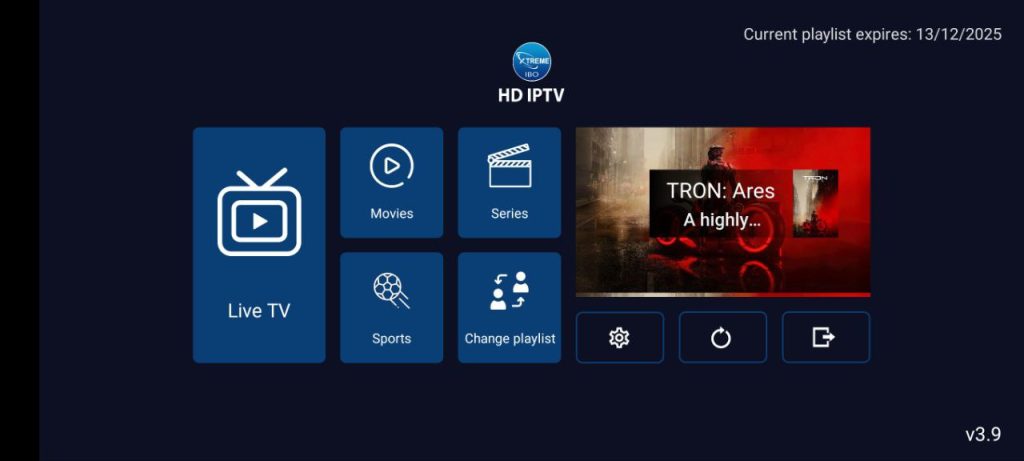
Table of Contents
For support or subscription activation, users can visit:
🌐 Website: https://iptvxtremehd.com
📲 WhatsApp Support: https://wa.link/5p4r9r
Why Use IBO Player With Xtreme HD IPTV on Firestick?
Before learning how to download and install IPTV Xtreme HD IBO Player on Firestick, it’s important to understand why this combination is popular:
✔ Smooth and modern interface
✔ Fast channel loading
✔ Works perfectly with Xtreme HD IPTV
✔ Supports Xtream Codes & M3U links
✔ Compatible with all Firestick models (4K, Lite, Max, Cube)
IBO Player is one of the most stable premium IPTV apps available for 2025.
: Step 1 – Enable Unknown Apps (How to Download and Install IPTV Xtreme HD IBO Player on Firestick)
Firestick blocks third-party apps by default. To enable installation:
- Go to Settings
- Select My Fire TV
- Open Developer Options
- Turn ON:
- ADB Debugging
- Apps from Unknown Sources
This step allows installation of IBO Player APK.
Step 2 – Install the Downloader App
Steps:
- From the Firestick home screen, go to Search
- Type Downloader
- Install the app (orange icon)
- Open Downloader
- Allow permissions when prompted
Downloader is the fastest method to install IPTV apps on Firestick.
Step 3 – Enter Downloader Code (How to Download and Install IPTV Xtreme HD IBO Player on Firestick)
Inside the Downloader app:
- Select the URL field
- Enter the Downloader Code:
👉 9541272 Short URL : aftv.news/9541272 - Click Go
Downloader will now fetch the IBO Player APK file automatically.
after that launch the app, click ADD PORTAL
Insert your username and Password
🌐 Buy IPTV:
https://iptvxtremehd.com
📲 24/7 WhatsApp Support:
https://wa.link/5p4r9r
Step 4 – Install IBO Player APK
- When the APK finishes downloading, click Install
- Wait for installation to complete
- Click Open
The Firestick will now launch the IBO Player interface.
Step 5 – Get Your MAC Address & Device ID
When IBO Player opens for the first time:
- You will see your MAC Address
- You will see your Device ID
Write these numbers down — they are required to activate your IPTV subscription.
Step 6 – Activate Xtreme HD IPTV Inside IBO Player (How to Download and Install IPTV Xtreme HD IBO Player on Firestick)
On a mobile or desktop device:
- Go to the IBO Player activation website
- Enter your MAC Address
- Enter your Device ID
- Choose one of the login methods:
- Xtream Codes (Recommended)
- M3U Playlist
Xtream Codes Format
- Server URL:
http://yourserverurl.com - Username
- Password
Example M3U Link
http://yourserverurl.com/get.php?username=XXXXX&password=YYYYY&type=m3u_plus&output=ts
Click Submit and restart IBO Player on your Firestick.
Your IPTV channels will now load instantly.
⭐ Troubleshooting Tips
✔ IBO Player not loading?
- Restart Firestick
- Clear IBO Player app cache
✔ Invalid login details?
- Confirm you used Xtream URL = http:// (not HTTPS)
- Check for typos in username/password
✔ Buffering?
- Use 5GHz WiFi
- Restart router
- Reduce stream quality in settings
⭐ Best IPTV Setup for Firestick in 2025
The most stable configuration is:
🔥 Xtreme HD IPTV + IBO Player + Firestick 4K Max
This setup delivers:
✔ Smooth channel switching
✔ Perfect HD/4K playback
✔ Fast loading
✔ Anti-freeze performance
⭐ Buy Xtreme HD IPTV Today
Enjoy the most stable IPTV service with 20,000+ live channels, movies, and series.
🌐 Buy IPTV:
https://iptvxtremehd.com
📲 24/7 WhatsApp Support:
https://wa.link/5p4r9r
Instant activation delivered to your email and WhatsApp.