

Streaming enthusiasts can elevate their viewing experience with IPTV Smarters Pro on their Firestick devices. This popular streaming app offers a seamless and intuitive interface, making it easy to access a wide range of channels and content.
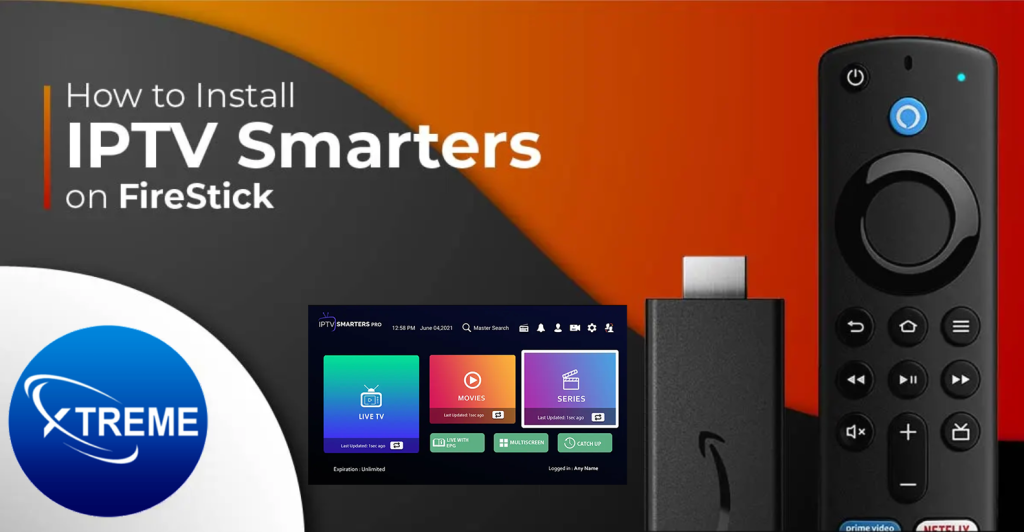
Smarters IPTV Pro On fire stick installation process is straightforward, and once set up, users can enjoy a plethora of features that enhance their streaming experience. From user-friendly navigation to customizable settings, IPTV Smarters Pro is designed to cater to diverse viewing preferences.
This comprehensive guide will walk you through the steps to install IPTV Smarters Pro on your Firestick, explore its key features, and provide valuable streaming tips to optimize your viewing experience.
Key Takeaways
- Easy installation process for IPTV Smarters Pro on Firestick
- User-friendly interface for seamless navigation
- Customizable settings to enhance viewing experience
- Access to a wide range of channels and content
- Valuable streaming tips for optimal performance
Understanding IPTV Smarters Pro for Firestick
For users looking to enhance their streaming experience on Firestick, IPTV Smarters Pro is a top choice. This application offers a comprehensive solution for streaming live TV, movies, and series directly to your device.
What is IPTV Smarters Pro?
IPTV Smarters Pro is an advanced IPTV player designed to provide users with a seamless streaming experience. It supports various IPTV services, allowing users to access a vast library of content, including live TV channels and on-demand movies. The app is known for its user-friendly interface, making it easy for users to navigate and find their favorite content.
Benefits of Using IPTV Smarters Pro on Firestick
Using IPTV Smarters Pro on Firestick offers several benefits, including enhanced streaming quality and access to a wide range of channels and on-demand content. The app is Firestick compatible, ensuring a smooth and optimized viewing experience. Additionally, IPTV Smarters Pro allows for the management of multiple IPTV subscriptions in one place, making it a convenient option for users with various IPTV services.
Legal Considerations for IPTV Services
When using IPTV services with IPTV Smarters Pro, it’s crucial to consider the legal implications. Users must ensure they are subscribing to legitimate IPTV services that have the necessary rights to distribute the content. Using unauthorized IPTV services can lead to legal issues, so it’s essential to choose reputable providers.
Step-by-Step Installation Guide for IPTV Smarters Pro on Firestick
The installation of IPTV Smarters Pro on Firestick is a simple, step-by-step process that enhances your streaming capabilities. To get started, ensure you have a stable internet connection and a Firestick device ready for use.
Preparing Your Firestick Device
Before installing IPTV Smarters Pro, your Firestick needs to be set up correctly. First, plug in your Firestick and turn on your TV. Navigate to the Firestick home screen and ensure it’s updated to the latest software version. This step is crucial for a smooth installation process.
Enabling Apps from Unknown Sources
To install IPTV Smarters Pro, you need to enable the installation of apps from unknown sources on your Firestick. Go to ‘Settings,’ then ‘My Fire TV’ or ‘Device,’ depending on your Firestick model. Select ‘Developer options’ and toggle ‘Apps from Unknown Sources’ to ‘On.’ This setting allows you to install third-party apps like IPTV Smarters Pro.
Installing Downloader App
The Downloader app is a utility that allows you to download and install IPTV Smarters Pro on your Firestick. To install it, go to the Firestick home screen, search for ‘Downloader,’ and select the app from the search results. Click ‘Download’ and wait for the installation to complete. Once installed, you’ll find the Downloader app on your Firestick home screen.
Downloading and Installing IPTV Smarters Pro
Open the Downloader app, and in the URL field, enter the official download link for IPTV Smarters Pro. Click ‘Download’ to start the download process. Once the download is complete, click ‘Install’ to install IPTV Smarters Pro on your Firestick. After installation, you’ll find IPTV Smarters Pro on your Firestick app list, ready for setup and use.
Here’s a summary of the installation steps in a tabular format for quick reference:
| Step | Description |
| 1 | Prepare your Firestick device by ensuring it’s updated. |
| 2 | Enable apps from unknown sources in the Firestick settings. |
| 3 | Install the Downloader app from the Firestick store. |
| 4 | Use the Downloader app to download and install IPTV Smarters Pro. |
By following these steps, you can successfully install IPTV Smarters Pro on your Firestick and enjoy a wide range of streaming content.
Setting Up Your IPTV Smarters Pro Account
To start enjoying IPTV services on your Firestick, you need to set up your IPTV Smarters Pro account correctly. This involves understanding the subscription requirements, configuring your IPTV service, and potentially setting up multiple user accounts. IPTV Smarters Pro is considered one of the best IPTV apps due to its versatility and user-friendly interface.
Understanding IPTV Subscription Requirements
Before you can start using IPTV Smarters Pro, you need an IPTV subscription. This subscription provides you with access to a vast library of content, including live TV, movies, and series. Ensure you choose a reputable IPTV service that offers stable streams and a wide range of channels.
Configuring Your IPTV Service with M3U URL/Playlist
One way to configure IPTV Smarters Pro is by using an M3U URL or playlist. To do this, you need to obtain the M3U URL from your IPTV service provider. Then, follow these steps:
- Open IPTV Smarters Pro and go to the settings or configuration section.
- Select the option to add a new playlist or M3U URL.
- Enter the M3U URL provided by your IPTV service.
- Save the settings, and your IPTV service should be configured.
Setting Up with Xtream Codes API
Another configuration method is using Xtream Codes API, which requires your IPTV service provider to support this feature. You’ll need to obtain the API details from your provider and enter them into IPTV Smarters Pro. This method is known for providing a more stable and feature-rich experience.
Adding and Managing Multiple User Accounts
IPTV Smarters Pro allows you to manage multiple user accounts, making it convenient for shared devices. You can add new accounts by accessing the user management section within the app, and then configuring the IPTV service for each account accordingly.
| Feature | M3U URL/Playlist | Xtream Codes API |
| Ease of Setup | Simple, requires just the M3U URL | More complex, requires API details |
| Stability | Generally stable, but can vary | Often more stable, with better stream quality |
| Features | Basic features, may lack advanced options | More feature-rich, including EPG and parental controls |
By following these steps, you can successfully set up your IPTV Smarters Pro account on Firestick and enjoy a wide range of IPTV services. As an IPTV player, IPTV Smarters Pro offers a robust platform for streaming your favorite content.
Exploring IPTV Smarters Pro Firestick Features
IPTV Smarters Pro on Firestick offers a multitude of features that enhance the streaming experience. This section will delve into the various aspects of the app, providing a comprehensive understanding of its capabilities.
Navigating the User Interface
The user interface of IPTV Smarters Pro is designed to be intuitive and user-friendly. Upon launching the app, users are presented with a clean and organized layout that makes it easy to navigate through different sections.
Key Features of the User Interface:
- Simple and intuitive design
- Easy access to live TV, video-on-demand, and series playback
- Customizable settings to personalize the viewing experience
Live TV Streaming and Channel Management
IPTV Smarters Pro excels in live TV streaming, offering users a wide range of channels to choose from. The app allows for efficient channel management, making it easy to create a personalized viewing experience.
Channel Management Features:
- Channel surfing with a user-friendly interface
- Ability to create a favorite channels list
- EPG (Electronic Program Guide) support for scheduling
According to a survey, “77% of users prefer IPTV services because of their ease of use and wide channel offerings.”
This highlights the importance of a well-organized channel lineup in enhancing the user experience.
Video-on-Demand and Series Playback
In addition to live TV, IPTV Smarters Pro offers a robust video-on-demand (VOD) library. Users can browse through various categories, including movies and TV series, and enjoy seamless playback.
| Content Type | Description | Features |
| Movies | A wide selection of movies across genres | HD streaming, search functionality |
| TV Series | Popular and niche TV series | Episode browsing, resume playback |
EPG (Electronic Program Guide) Configuration
The EPG feature in IPTV Smarters Pro allows users to view TV listings and plan their viewing schedule. Configuring EPG is straightforward, with options to customize the guide according to user preferences.
EPG Configuration Steps:
- Access the EPG section from the main menu
- Select the desired channel and view the program schedule
- Customize the EPG layout and information displayed
Favorites and Watchlist Features
IPTV Smarters Pro enables users to create a personalized watchlist, making it easy to keep track of favorite channels and content. This feature enhances the overall viewing experience by providing quick access to preferred content.
Benefits of Favorites and Watchlist:
- Quick access to frequently watched channels and content
- Personalized recommendations based on viewing history
- Convenience in managing favorite content
Optimizing Your IPTV Smarters Pro Experience
IPTV Smarters Pro on Firestick can be fine-tuned for a superior viewing experience by implementing a few simple strategies. To start, understanding the factors that influence streaming quality is essential.
Improving Streaming Quality and Performance
To enhance streaming quality, ensure your internet connection is stable and meets the minimum speed requirements for streaming. A buffering issue can often be resolved by adjusting the video quality settings within the IPTV Smarters Pro app. Lowering the resolution can help if your internet connection is not robust enough.
Using External Video Players
Some users prefer using external video players for a better viewing experience. IPTV Smarters Pro allows integration with other players, offering more control over playback. To use an external player, navigate to the settings menu within the app and select your preferred player.
Network and VPN Considerations
A VPN can sometimes improve streaming quality by reducing throttling from your ISP. However, it’s crucial to choose a VPN that is optimized for streaming to avoid a decrease in streaming quality. Ensure your network is configured correctly to support streaming.
Parental Controls and Content Filtering
For households with children, enabling parental controls is a good practice. IPTV Smarters Pro allows you to restrict access to certain channels or content based on maturity levels, ensuring a safe viewing environment.
Conclusion
IPTV Smarters Pro has established itself as a top choice for streaming live TV, movies, and series on Firestick devices. By following the installation, setup, and optimization steps outlined in this guide, users can unlock a seamless and enjoyable viewing experience.
As a firestick compatible iptv service, IPTV Smarters Pro offers an intuitive interface and extensive features that make it the best iptv app for Firestick users. With its ability to manage live TV channels, video-on-demand content, and series playback, IPTV Smarters Pro is an ideal solution for those seeking a comprehensive iptv service.
To further enhance your IPTV experience, consider optimizing your network settings and exploring external video players. By doing so, you can significantly improve streaming quality and overall performance.
With IPTV Smarters Pro, users can enjoy a superior streaming experience on their Firestick devices. By leveraging the features and capabilities of this best iptv app, viewers can access a wide range of content, including live TV, movies, and series, all within a user-friendly interface.
FAQ
What is IPTV Smarters Pro, and is it compatible with Firestick?
IPTV Smarters Pro is a popular IPTV player that allows users to stream live TV, movies, and series. It is compatible with Firestick, offering a seamless streaming experience on the device.
How do I install IPTV Smarters Pro on my Firestick?
To install IPTV Smarters Pro on Firestick, enable apps from unknown sources, install the Downloader app, and then download and install IPTV Smarters Pro using the Downloader app.
What are the IPTV subscription requirements for IPTV Smarters Pro?
IPTV Smarters Pro requires a valid IPTV subscription to access live TV, movies, and series. Users can configure their IPTV service using an M3U URL or playlist, or Xtream Codes API.
Can I manage multiple user accounts on IPTV Smarters Pro?
Yes, IPTV Smarters Pro allows users to add and manage multiple user accounts, making it a convenient option for shared devices.
How can I optimize my IPTV Smarters Pro streaming experience?
To optimize streaming quality, users can improve their internet connection, use external video players, and configure network and VPN settings. Additionally, parental controls and content filtering can be enabled to ensure a safe streaming experience.
Is IPTV Smarters Pro a legitimate IPTV service?
IPTV Smarters Pro is an IPTV player that provides access to various IPTV services. Users must ensure they subscribe to legitimate IPTV services to avoid any potential issues.
Can I stream live TV on IPTV Smarters Pro?
Yes, IPTV Smarters Pro allows users to stream live TV, as well as access video-on-demand content and series playback.
How do I configure EPG on IPTV Smarters Pro?
Users can configure EPG (Electronic Program Guide) on IPTV Smarters Pro to access TV listings and schedule information for their favorite channels.
🚀 Ready to start streaming?
Get instant access to thousands of channels, movies, and sports in HD.
👉 Visit Website: https://iptvxtremehd.com
💬 WhatsApp Support (Fast Reply): https://wa.link/5p4r9r
Click, message, and start watching today! 🔥📺