

Introduction
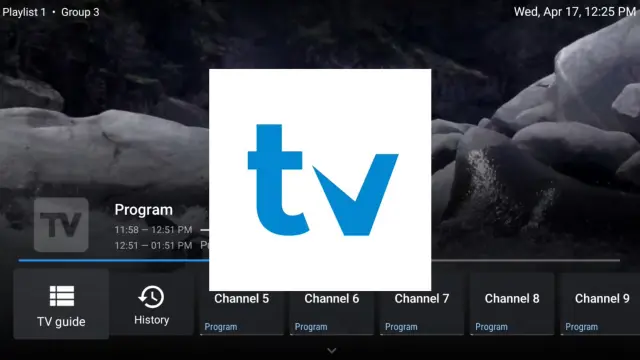
In 2025, TiviMate Player continues to be one of the best IPTV players for streaming live TV, movies, and on-demand content on Firestick and Android TV devices.
This tutorial will show you how to install and set up TiviMate IPTV Player on Firestick and Android TV Box, step by step, so you can enjoy seamless HD streaming using your XtremeHD IPTV subscription.
What Is TiviMate IPTV Player?
TiviMate Player is a powerful IPTV player that allows users to stream live TV using an M3U playlist or Xtream Codes API.
Unlike other players, TiviMate doesn’t provide or sell any IPTV content — it simply acts as a media player. You must have an existing IPTV subscription such as XtremeHD IPTV to access live channels.
📎 Official Info: TiviMate App Page on Google Play
Features of TiviMate IPTV Player 2025
Here’s what makes TiviMate a standout choice for streaming in 2025:
- 🎨 Modern Interface – Clean, user-friendly layout for easy navigation.
- ⚙️ Multiple Playlist Support – Manage several IPTV sources.
- 📺 EPG (TV Guide) Integration – View channel schedules in real time.
- 🧭 Catch-Up & Recording – Watch missed shows or record live TV.
- 🧠 Favorites List – Save and access your favorite channels quickly.
- 🔄 Auto-Updates – Frequent updates for improved performance.
How to Install TiviMate on Firestick
Follow these steps to install TiviMate IPTV Player on your Amazon Firestick:
- On your Firestick home screen, go to Settings → My Fire TV → Developer Options.
- Enable Apps from Unknown Sources.
- Go back to the home screen and open the Downloader App (download it from Amazon Store if you don’t have it).
- In the Downloader’s URL field, type:
https://tivimateapp.com/dl - Wait for the file to download, then select Install.
- Once installed, launch TiviMate IPTV Player from your Apps section.
How to Install TiviMate on Android TV Box
For Android TV Boxes, installation is even simpler:
- Open the Google Play Store.
- Search for TiviMate IPTV Player.
- Select the official app by AR Mobile Dev and tap Install.
- Once the installation finishes, open TiviMate from your app list.
💡 Tip: Always download from verified sources like Google Play to ensure app safety.
How to Set Up TiviMate IPTV Player
After installing TiviMate, follow these steps to connect your IPTV service:
- Open the app and select Add Playlist.
- Choose Xtream Codes Login or M3U Playlist URL.
- Enter the IPTV credentials provided by your service (for example, from XtremeHD IPTV).
- Wait for channels and the EPG to load.
- Explore your TV guide, categories, and start watching!
💬 Need help setting up? Contact support on WhatsApp: https://wa.link/5p4r9r
Why Use TiviMate with XtremeHD IPTV?
Combining TiviMate Player with XtremeHD IPTV gives you a premium viewing experience. You get:
- ⚡ Ultra-fast servers and HD/4K quality
- 🌍 Global channel lineup (USA, UK, Canada & more)
- 📱 Multi-device support
- 💸 Affordable yearly plans
- 🧑💻 Reliable customer service
This combo ensures smooth, high-quality streaming on any device.
Final Thoughts
TiviMate IPTV Player is one of the most reliable apps for IPTV viewing in 2025 — easy to install, simple to use, and highly customizable. When paired with XtremeHD IPTV, it delivers the ultimate streaming experience for sports, movies, and live TV.
🎯 Start streaming today: https://iptvxtremehd.com
💬 Need setup help or a free trial? Contact on WhatsApp: https://wa.link/5p4r9r