
IPTV Smarters Pro
A widely used multi-platform player that organises live channels, movies and series into separate sections once you log in.
- Platforms
- Android, iOS, Fire TV (sideloaded), some Smart TVs
- Login
- Xtream Codes or M3U
Every plan includes 20,000+ live channels and 80,000+ movies & series.Compare plans
Xtreme HD IPTV is the subscription; a player app is how you watch it. Compare the most common apps and pick the one that fits your device.
Use any IPTV player that supports Xtream Codes or M3U logins. For most people, IPTV Smarters Pro is the simplest starting point because it runs on Android, iPhone, Fire TV and some Smart TVs. TiviMate suits Android TV boxes and Fire TV if you mainly watch live channels, and GSE Smart IPTV is a flexible option on iPhone and iPad. All three are independent third-party apps.
On Fire TV or Android? You can also install the Xtreme HD IPTV Official App with Downloader code 9541272.
| App | Platform | Login method | Best for | Setup guide |
|---|---|---|---|---|
| IPTV Smarters Pro | Android, iOS, Fire TV (sideloaded), some Smart TVs | Xtream Codes or M3U | Most people setting up IPTV for the first time, especially on phones and Fire TV. | IPTV Smarters Pro guide |
| TiviMate | Android TV, Android TV boxes, Android phones/tablets, Fire TV (sideloaded) | Xtream Codes or M3U | Live TV viewers on Android TV boxes and Fire TV devices. | TiviMate guide |
| GSE Smart IPTV | Android, iOS, some Smart TV and set-top box environments | Xtream Codes, M3U URL or local playlist file | iPhone and iPad users, and anyone who wants more connection-format options. | GSE Smart IPTV guide |
A widely used multi-platform player that organises live channels, movies and series into separate sections once you log in.
An Android-based player built around a grid-style programme guide, popular with people who mostly watch live TV.
A flexible player that accepts several connection formats, including local playlist files as well as URLs.
Xtreme HD IPTV login details come in one of two standard formats. Most apps accept both.
Three fields: a server address, a username and a password. The app asks the server for categories and the on-demand library, so most apps treat this as their most complete login option.
Learn moreA single URL that points to a playlist file. The app downloads the list and builds the channel categories from it, which suits players that only accept playlists.
Learn moreLive channels, categories and recently added movies and series appear in the app once you log in.
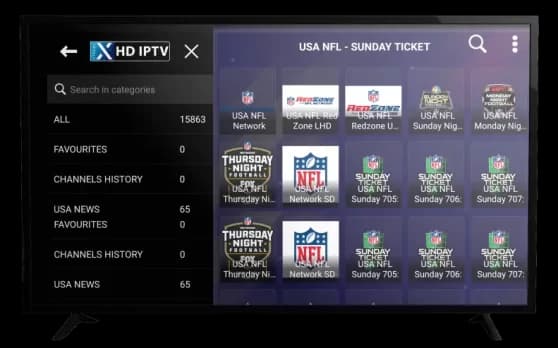
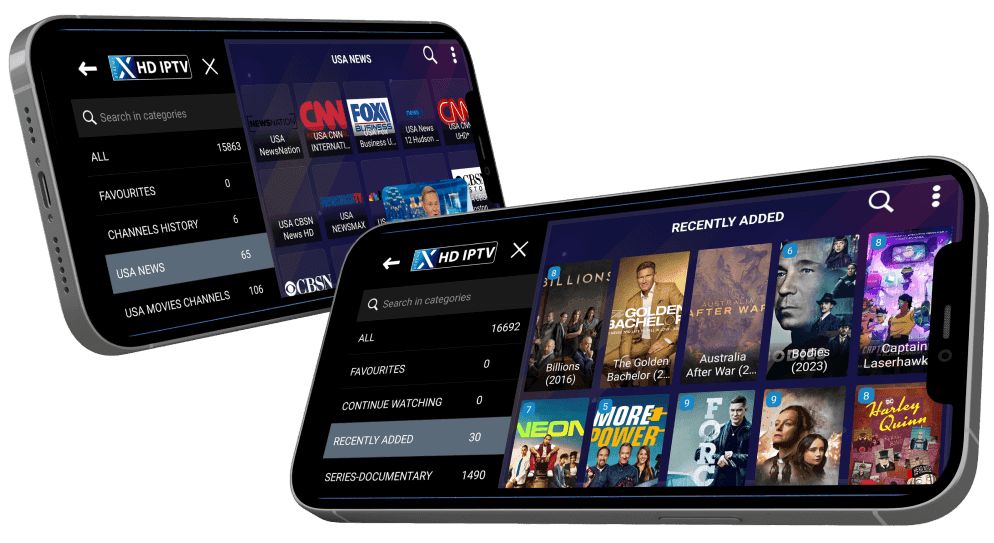
Screens shown above are from the Smarters Player Lite application, a third-party IPTV player used to access the service. Xtreme HD IPTV is not affiliated with, and does not claim ownership of, third-party player applications.
Xtreme HD IPTV is a subscription service, not a player app. IPTV Smarters Pro, TiviMate, GSE Smart IPTV and other players are independent third-party apps; Xtreme HD IPTV is not affiliated with, and does not develop or own, any of them.
Pick a plan, order on WhatsApp, then follow the setup guide to log in.