
Xtreme HD IPTV Official App
Install the Xtreme HD IPTV app on Firestick and Android devices in just a few simple steps.
This page explains how to install the app on Amazon Fire TV and Fire TV Stick using the Downloader app, and on compatible Android phones, tablets and Android TV devices.
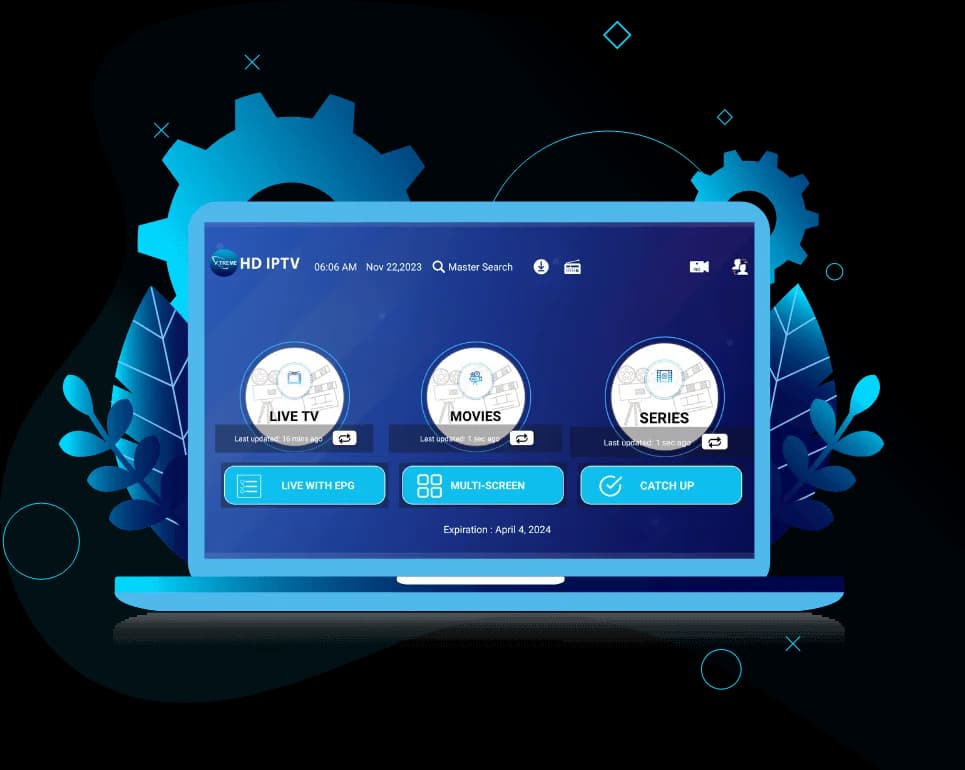
Install the Xtreme HD IPTV App
For Firestick and Fire TV, use the Downloader app and enter the code below.
aftv.news/9541272Tip: Make sure you enter the code exactly as shown.
How to Install Xtreme HD IPTV on Firestick
Six steps with the Downloader app. The same steps work on Fire TV devices.
Step 1: Install Downloader
On the Fire TV home screen, search for the Downloader app and install it from the available app store.
Step 2: Open Downloader
Launch Downloader. If your device asks for permission to install apps from Downloader, follow the Fire TV on-screen instructions to allow it.
Step 3: Enter the Downloader code
Type 9541272 into the Downloader field and confirm. You can also type the short URL aftv.news/9541272 instead.
Enter this code9541272oraftv.news/9541272Step 4: Open the download page
Downloader opens the download page for the code. Follow the on-screen instructions to download the Xtreme HD IPTV app.
Step 5: Install the app
When the download finishes, open the installer, choose Install, wait for it to complete, then choose Done or Open. Button names can vary slightly between Fire TV versions.
Step 6: Launch Xtreme HD IPTV
Open the Xtreme HD IPTV app and continue with your account setup using the login details you receive after ordering.
Firestick Quick Install
- 1Install Downloader
- 2Open Downloader
- 3Enter 9541272
- 4Follow the download instructions
- 5Install Xtreme HD IPTV
- 6Open the app
How to Install Xtreme HD IPTV on Android
Installation guidance for compatible Android phones, tablets, Android TV and other Android-based devices.
Step 1: Get the app
Use the official installation source provided by Xtreme HD IPTV.
Message us on WhatsApp and we'll send you the official Android download link.
Get the Android Download LinkStep 2: Download the app
Download the application package from that official source on your phone, tablet or Android TV device.
Step 3: Install
Open the downloaded package and follow the Android installation prompts. If Android asks for permission to install from an unknown source, allow the browser or file manager you are using to install it. Menu names differ between manufacturers and Android versions.
Step 4: Open Xtreme HD IPTV
Launch the app and continue with your account setup using the login details you receive after ordering.
Supported Android Devices
The app installs on Amazon Fire TV devices and compatible Android devices.
Fire TV Stick
Install with the Downloader app and code 9541272.
Downloader codeFire TV
Fire TV devices use the same Downloader code as the Stick.
Downloader codeAndroid TV
Compatible Android TV devices install the app package directly.
Android installationAndroid Phones
Compatible Android phones install the app package directly.
Android installationAndroid Tablets
Compatible Android tablets install the app package directly.
Android installationCompatible Android TV devices
Other compatible Android-based TV boxes and streaming devices.
Android installation
| Device | Installation Method |
|---|---|
| Fire TV Stick | Downloader Code |
| Fire TV | Downloader Code |
| Android TV | Android installation |
| Android Phone | Android installation |
| Android Tablet | Android installation |
Using a Smart TV, iPhone or another device? See supported devices and the IPTV apps comparison.
Why Install the Xtreme HD IPTV Official App?
The app gives you a convenient, dedicated way to watch Xtreme HD IPTV on Fire TV and compatible Android devices, installed in a few steps with one Downloader code.
Every plan includes the same service: 20,000+ live channels, 80,000+ movies & series, 4K & FHD stream quality and anti-freeze technology. Plans cover 1 to 5 devices watching at the same time; see Xtreme HD IPTV pricing.
- Built for Fire TV, Fire TV Stick and compatible Android devices
- Quick Fire TV install with Downloader code 9541272
- Sign in with the login details you receive after ordering
- Help available on WhatsApp if you get stuck
Installation Troubleshooting
Most installation problems are solved with one of these checks.
Downloader code is not working
- Check the code was entered correctly: 9541272
- Confirm the device is connected to the internet.
- Try the short URL instead:
aftv.news/9541272
Downloader cannot install the app
Fire TV may require you to allow installation from the source you are using. Follow the Fire TV prompts to allow it, then try the installation again.
The app downloaded but will not install
- Delete the downloaded installer.
- Restart the Fire TV or Android device.
- Check there is enough free storage.
- Download the installer again.
- Try the installation again.
Installed but can't sign in? See the IPTV setup guide troubleshooting.
Xtreme HD IPTV App FAQ
Quick answers about installing the app.
Ready to Install Xtreme HD IPTV?
Use the Downloader code below to get started on Firestick and compatible Fire TV devices.
Tip: Make sure you enter the code exactly as shown.